Can you take the GRE at home? Requirements and test-day steps


Yes, you can take the GRE General Test at home. ETS offers it on your own Windows or Mac computer, watched by a live human proctor, around the clock, seven days a week, everywhere the GRE is normally offered. It is the same test as at a test center: the same content, format, timing and scoring, and the same $249 fee.
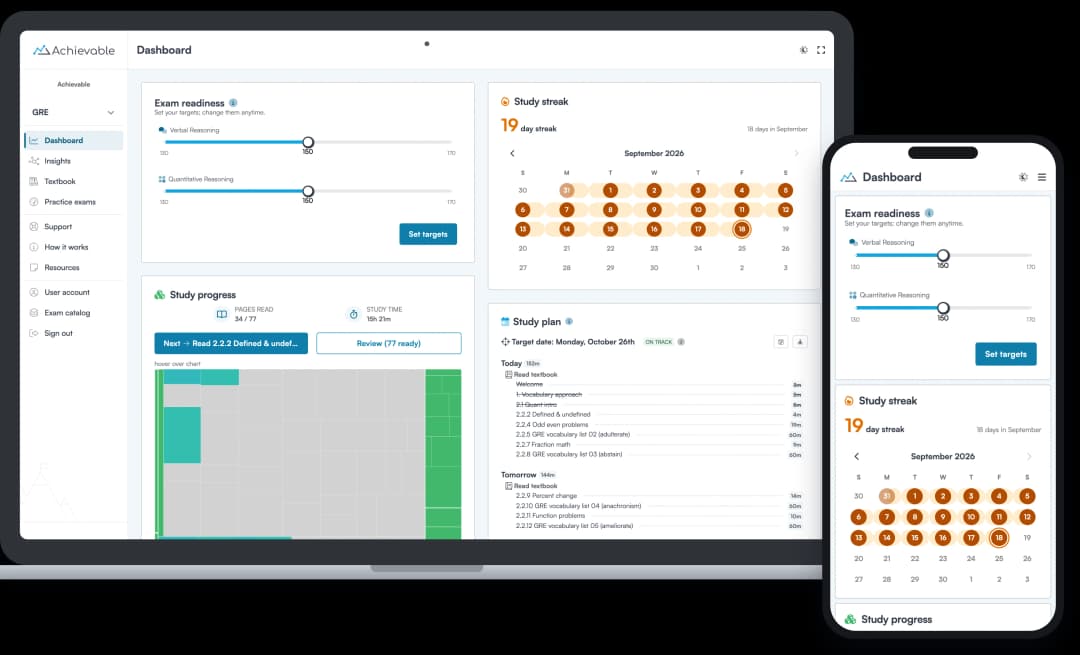
The catch is the rules. Your computer, your room and your desk all have to pass ETS’s checks on test day, and if they don’t, ETS says you can’t test and won’t get a refund or a free reschedule. So rehearse the conditions before you book: Achievable’s GRE course runs its timed Verbal and Quant sections in your browser, on the computer and at the desk you’ll test on, and our free GRE Quant practice exam is a quick first check.
The GRE at home at a glance
- The test: identical to the test-center GRE: one Analytical Writing task, two Verbal Reasoning sections and two Quantitative Reasoning sections, 1 hour and 58 minutes in all (see our GRE exam guide).
- Fee: $249, the same as at a test center (ETS’s fee everywhere except China).
- When: any day, any time, wherever an appointment is open.
- Where: a private room at home or another secure location, in any country where the GRE is offered, based on the country of your ETS account address. Test takers in mainland China book through takethegre.cn.
- Proctor: a live person watches you through your webcam and a second camera and sees your screen, and the whole session is recorded.
- Breaks: none. The GRE has no scheduled break, and unscheduled breaks aren’t allowed at home.
- Notes: a small whiteboard, or a sheet of paper inside a clear sheet protector, with an erasable marker. No loose paper and no pens.
- Calculator: the on-screen calculator in the Quant sections, as at a center.
- Scores: unofficial Verbal and Quant scores on screen at the end; official scores in your ETS account about 8 to 10 days later.
- Practice: Achievable’s GRE course ($199 for 12 months) has 30 timed Verbal sections, as many timed Quant sections as you want, and Issue essays scored the moment you finish.
Equipment you need
ETS’s at-home testing page lists the requirements. Check every line before you register:
- Computer: a desktop or laptop. No tablets, Chromebooks, phones or Microsoft Surface Pro devices.
- Operating system: a licensed copy of Windows (ETS recommends version 11 or higher) or macOS 11 or higher. Unlicensed or test-mode versions aren’t allowed.
- One screen and one keyboard: no second monitor, and a laptop must use its own screen and its own keyboard.
- Browser and software: the Chrome browser, plus the ETS Secure Browser, which you download from the at-home page and use to run ETS’s Equipment Check.
- Speaker: built in or external, so you can hear the proctor. Headsets and earphones aren’t allowed.
- Microphone: built in or external, but not part of a headset.
- Webcam: built in or separate, as long as you can move it to show the proctor a 360-degree view of the room and your desk.
- Second camera: a fully charged phone or tablet (iOS 12 or later, or Android 8 or later) on a stand or propped against something heavy. You connect it by scanning a QR code once the test starts, and it watches from the side, about an arm’s length to your left or right. Keep it plugged in, with Do Not Disturb on.
- A mirror or your phone: to show the proctor your screen at check-in.
- Internet: a connection that holds for about two and a half hours (20 to 30 minutes of check-in, then the test). A work, school or public network can block the screen sharing the proctor needs, which stops you from testing.
Run the Equipment Check more than once. Bandwidth changes with the time of day, so ETS suggests running it at several times, including on the same weekday and at the same time as your appointment. If it fails and you can’t fix it, ETS’s Equipment Check Support page has troubleshooting steps.
Room, desk and dress rules
- Alone and private: you’re the only person in the room, and nobody comes in. Doors and blinds or curtains are closed. No parks, cafés, restaurants or glass-walled rooms.
- A desk and a standard chair: your computer and keyboard sit on a desk or table, and you sit on a normal chair, not a bed, couch or overstuffed chair. Place the desk so the proctor can see the door.
- A clear desk: nothing on or around it that isn’t allowed, including phones (except at check-in), notes and books. Furniture and décor can stay.
- Quiet and well lit, with no food or drink during the test.
- Ears and face visible: hair, hats and other items can’t cover your ears (religious headwear is fine if your ears show), and face masks aren’t allowed. Skip jewelry and hair accessories, and dress as you would in public: your photo goes to the schools that receive your scores.
- Nothing else running: quit screen-sharing and remote-access software (ETS names Apple Remote Desktop, Microsoft Teams, Skype, TeamViewer, Zoom, Grammarly and spell-check tools) and make sure none of it relaunches during the test. Turn off other devices on your network, such as streaming boxes.
What you can write on
You can’t use ordinary paper at home. ETS allows one of these, with an erasable marker:
- one small desktop whiteboard, or
- one sheet of paper inside a clear plastic sheet protector.
Pencils and pens aren’t allowed. At the end of the test, the proctor asks you to erase your notes and hold the board or sheet up to the camera, front and back. At a test center, staff hand you scratch paper and give you more when you run out, so if you work long Quant problems out on paper, practice on your whiteboard well before test day.
Before test day
- Register online. At-home appointments can only be booked online, through your ETS account. The name on your account must exactly match the name on your ID (ETS’s ID requirements).
- Verify your identity at least 72 hours ahead. After you schedule, ETS emails a QR code for its IDVaaS app. Scan it, photograph your ID, scan its chip if it has one, take a selfie and submit. If you book less than 72 hours ahead, verify right away. If you leave it to test day and verification fails, you can’t test as scheduled.
- Bring a valid physical ID. A passport or other government-issued photo ID with your signature. Expired, photocopied and phone-based IDs aren’t accepted.
- Get accommodations approved first. If you need extra time, breaks, equipment, or help showing the room to the proctor, ETS Disability Services has to approve it before you schedule. ETS says the review takes about six weeks (accommodations).
- Know the deadlines. You can reschedule (for a $55 fee) or cancel (for half the test fee back) until four days before your test date; after that, the fee is forfeited. You can take the GRE once every 21 days, up to five times in any rolling 12 months.
Test day, step by step
- Check in 15 minutes early. Close every other app, run a final Equipment Check, then click the At Home Check-In link in your ETS confirmation email. That link is the only way to reach a proctor; opening the Secure Browser on its own won’t connect you. Don’t be late: ETS’s Bulletin says a test taker more than 12 minutes late has the test canceled.
- Show your ID. The proctor checks it against the identity you verified in the app, and may ask for a voice sample.
- Set up the second camera. Scan the QR code on screen with your phone and place it where the proctor tells you.
- Show your room. The proctor reviews the rules, asks for access to your screen, has you show the screen with your mirror or phone, and has you turn your webcam for a 360-degree view of the room and desk. Check-in takes about 20 to 30 minutes, and the test clock doesn’t start until it’s done.
- Take the test. It runs 1 hour and 58 minutes with no breaks. Stay in view of the camera: talking to yourself, looking away from the screen, moving out of view or taking a break can get your scores canceled. To reach the proctor, speak or use the chat; a reply can take 30 to 60 seconds.
- If your connection drops, you’re reconnected automatically when it returns, and the proctor reopens the test if it can be reopened. If you can’t reconnect, start check-in again.
- Finish. Erase your notes in view of the camera, choose whether to report or cancel your scores, see your unofficial Verbal and Quant scores, and pick up to four score recipients, which the test fee covers. Then submit and close the Secure Browser.
At home or at a test center?
At home | At a test center | |
|---|---|---|
The test | Same content, timing and scoring | Same content, timing and scoring |
Fee | $249 | $249 |
Appointments | Any day, around the clock | During the center’s hours, at more than 1,000 locations |
Computer | Your own, running ETS’s Secure Browser | The center’s |
Notes | One small whiteboard or sheet protector, erasable marker | Scratch paper from the staff, more on request |
Leaving your seat | Not allowed | Raise your hand; the clock keeps running |
If something goes wrong | A setup that fails the requirements on test day gets no refund or free reschedule | If a center’s technical problem cancels your session, a free new appointment or a full refund |
The test itself doesn’t change. What changes is the setting, what you can write on, and who carries the risk if something goes wrong, so choose by your setup:
- Choose a test center if your internet is unreliable, if you’d be on a work, school or shared network that may block screen sharing, if you can’t be sure of a private room with a closed door for two and a half hours, if your only computer is a Chromebook, a tablet, a Surface Pro or a managed work laptop you can’t clear of remote-access software, or if you work Quant problems out at length and want paper rather than a small whiteboard.
- Choose home if the nearest center is far away or booked up, if you want an early-morning or late-night slot, or if you test best in a room you know.
How to register for the at-home GRE
- Check your setup first. Download the ETS Secure Browser, pass the Equipment Check, and make sure your room meets the rules above.
- Sign in to your ETS account from ETS’s GRE registration page, with your name exactly as it appears on your ID.
- Choose the GRE General Test at home, then a date and time.
- Pay the $249 fee. ETS’s fee reduction program cuts it to $100 for eligible test takers.
- Verify your ID in the IDVaaS app at least 72 hours before the test.
For the rest of what to sort out before booking, from ID rules to sending scores, see our guide to GRE testing requirements.
Practice under at-home conditions
The test is the same at home, but the setting isn’t, so practice in it. Achievable’s GRE course gives you the timed practice to do that: $199 for 12 months, with 30 timed Verbal sections, as many timed Quant sections as you want (new questions every time, so a set never turns into recall), Issue essays scored the moment you finish, and 950+ practice questions in all. Our free GRE Quant practice exam is a quick first check.
- Use the same computer, desk and chair you’ll test on, at the time of day of your appointment.
- Write only on your whiteboard or sheet protector, with an erasable marker, never on scrap paper.
- Keep your eyes on the screen and don’t talk problems through out loud, since both can count against you on test day.
- Sit the whole length without getting up. Run Verbal and Quant sections back to back for about two hours, since the real test has no break.
- Finish with ETS’s full-length tests. ETS’s free POWERPREP Online tests (one untimed, one timed) use the real test’s screens and tools, and its POWERPREP PLUS tests cost $44.95 each. Take at least one start to finish in at-home conditions in your last weeks.
Aim for 100% readiness before test day: practice scores comfortably above your target score, consistently, across several full-length practice tests, so your result doesn’t depend on the luck of the day. Our guide to how the GRE is scored explains the 130–170 scales.
Common questions
Is the at-home GRE proctored by ProctorU? ETS’s current at-home pages and its 2026–27 Bulletin don’t name a proctoring company. They say a human proctor monitors every at-home test, and you reach the proctor through the At Home Check-In link in your ETS email.
Can I use headphones or earbuds? No. Headsets and earphones aren’t allowed; you hear the proctor through your computer’s speaker.
Can I take a bathroom break? No. The GRE has no scheduled break, and unscheduled breaks aren’t allowed at home, so plan on about two and a half hours at your desk, check-in included.
What if my equipment fails on test day? The proctor checks your equipment before the test, and the test clock doesn’t start until you begin. If a problem can’t be fixed before your appointment, you can’t test, and ETS gives no refund or free reschedule when an at-home setup doesn’t meet its requirements.
Can I take a GRE Subject Test at home? Yes, on select dates in the Subject Test windows (September, October and April), in most locations.
Key takeaways
- The GRE at home is the same test, scoring and $249 fee as at a test center, offered around the clock with a live human proctor.
- You need a Windows or Mac desktop or laptop, the ETS Secure Browser, a speaker, a microphone, a movable webcam and a phone or tablet as a second camera. Headsets, tablets and Chromebooks aren’t allowed.
- You test alone in a private room at a clear desk, with only a small whiteboard or sheet protector for notes, and no breaks.
- Verify your ID in ETS’s IDVaaS app at least 72 hours ahead, and start check-in 15 minutes early; it takes 20 to 30 minutes.
- Choose a test center if your internet, room or computer might not pass: an at-home setup that fails gets no refund.
- Practice in the same conditions with Achievable’s timed GRE sections, then a full-length POWERPREP test.